tabs Mobile App
We at tabs offer a mobile-first experience across Android, iOS, and web browsers so you can access our sportsbook, live-dealer tables, slot games, and esports markets from any device. Our app and web platform are built for speed, security, and seamless navigation whether you are in Jakarta, Surabaya, or anywhere our services are legally available.

- Installin
- Update
- and
- DownloadAPK
Mobile access to tabs means you can follow Liga 1 fixtures, place bets on Piala AFF matches, join live blackjack and roulette sessions, and spin Aviator, Sweet Bonanza, and Fortune Tiger during your commute or downtime. We support all major Indonesian payment methods—DANA, e-wallet, mobile banking, local payment, online payment, e-wallet, and bank transfers—so deposits and withdrawals remain quick and convenient on mobile.
Our platform runs on Android 7 and above, iOS 12 and above, and modern web browsers. Installation takes under two minutes, and our support team can guide you through any setup questions during business hours in English or local languages.
How to access tabs on mobile
We provide three pathways to reach tabs: direct Android APK download, iOS browser access, and a responsive web app. Each method is equally secure and syncs your account, balance, and betting history in real time.
Android APK
Download and install directly on your Android device. No app store required.
Get Android APKiOS Browser
Open tabs in Safari or Chrome on your iPhone or iPad. No installation needed.
Open in Browser
Installation and setup on tabs
-
1
Download the APK or open your browserAndroid / iOS / Web
For Android, visit our download page and tap the APK link. For iOS, open Safari and navigate to tabs.bet. For web, simply visit the domain from any browser.
-
2
Install or add to home screenAndroid / iOS / Web
Android users tap Install when prompted. iOS users tap Share and select Add to Home Screen. Web users can bookmark the page or use the progressive web app feature.
-
3
Create or log into your tabs accountRegistration / Login
New users tap Open Account and provide an email, username, and password. Existing users log in with their credentials. We verify your identity via KYC documents during your first deposit.
-
4
Deposit and start playingPayment / Gaming
Choose your payment method (DANA, e-wallet, mobile banking, local payment, online payment, e-wallet, or bank transfer), enter your amount, and confirm. Your balance updates instantly, and you can browse sportsbook markets, live tables, or slots.
App versus browser: which is right for you
Our native Android app offers offline caching, so you can view your account balance and recent transactions even without an internet connection. Push notifications alert you to live match updates, new slot tournaments, and withdrawal confirmations. The app also loads faster on slower networks because it stores core assets locally. iOS users and web users benefit from instant updates—no installation delays—and can access tabs from any device without re-downloading. Both paths keep your data encrypted and synced in real time, so your choice depends on convenience and device preference.
Device compatibility and requirements
We support Android 7.0 and above on phones and tablets. iOS users need iOS 12 or later on iPhone or iPad. Web access works on any modern browser—Chrome, Safari, Firefox, Edge—on desktop, tablet, or mobile. If your device is older than these specifications, we recommend upgrading your operating system or using a different device to ensure smooth performance and security. Our support team can confirm compatibility if you are unsure.
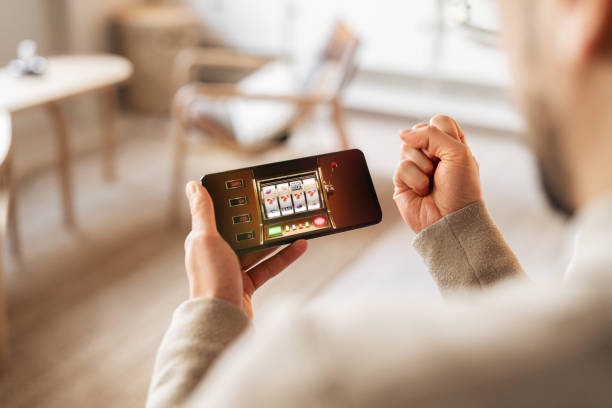
Troubleshooting common installation issues
Android users may see a warning about unknown sources when installing the APK. This is normal—tap Settings, enable Unknown Sources for our app, and proceed. If the APK does not download, check your internet connection and try again from a different network. iOS users should ensure they have enough storage space and that their Safari settings allow downloads. If the web app does not load, clear your browser cache and cookies, then refresh. If problems persist, contact our support team with your device model and operating system version, and we will help resolve the issue.
Data, permissions, and account security on tabs
We at tabs encrypt all data transmitted between your device and our servers using industry-standard TLS protocols. The app requests only essential permissions—internet access, storage for offline cache, and notification permissions—and never accesses your contacts, photos, or location without your explicit consent. Your account credentials are never stored in plain text; we use secure hashing and salting. When you log in, we verify your identity and monitor for unusual activity. If we detect a login from a new device or location, we may ask for additional verification. You can manage your session settings in your account dashboard and log out remotely from any device.
Getting the most from tabs on mobile
Once you have installed tabs, explore our full range of markets. Our sportsbook covers Liga 1, Piala AFF, Premier League, Champions League, MotoGP, and badminton tournaments. Live-dealer tables include blackjack, roulette, baccarat, and Dragon Tiger with real dealers and multi-camera feeds. Slot games feature Aviator, Sweet Bonanza, Gates of Olympus, Fortune Tiger, and Mahjong Ways with daily and weekly tournaments. Esports markets cover Mobile Legends, Free Fire, and PUBG Mobile competitions. All markets are accessible from the same account, and your balance updates instantly across all sections.
We recommend enabling push notifications so you receive alerts about live match odds, slot tournament schedules, and withdrawal status. Bookmark your favourite markets or set them as home-screen shortcuts for faster access. If you travel between regions—say, from Jakarta to Bandung or during Idul Fitri holidays—your account remains active as long as you are in a jurisdiction where our services are legally permitted. Always verify your local regulations before accessing tabs from a new location.
Our team is available during business hours to assist with app installation, account recovery, payment troubleshooting, and device compatibility questions. We respond in English and local languages.
We at tabs are committed to keeping your mobile experience secure, fast, and accessible. Whether you choose the Android app, iOS browser, or web platform, your account, balance, and transaction history remain synchronized and protected. If you have questions about installation, device compatibility, or account security, reach out to our support team—we are here to help.